Rearrange, resize, and remove tiles in Travel One
Choose the order and size of tiles on the board.
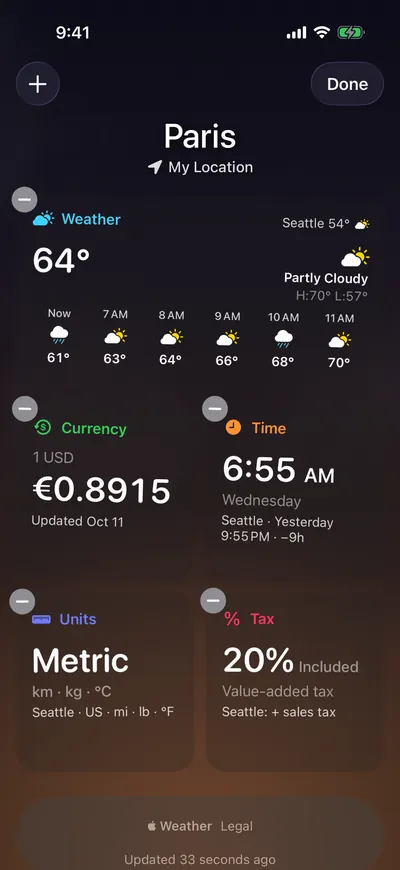
Rearrange tiles
- Tap More (the ellipsis button at the bottom left), then tap Edit Tiles. Or touch and hold a tile and drag it.
- Drag tiles to new positions.
- Tap Done.
Resize or remove a tile
Do any of the following:
- Resize: Touch and hold the tile, choose Resize, then choose Small or Wide.
- Remove: Touch and hold the tile and choose Remove Tile. Or, while editing, tap the tile's remove button, then tap Remove.
Note: Essentials is small only. With VoiceOver, each tile has the actions Move Up, Move Down, Make Small or Make Wide, and Remove.