Use Speedometer One on Apple Watch
Speedometer One on Apple Watch shows your speed in big numbers on your wrist. It’s included, with no purchase needed.
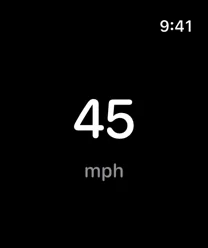
Check your speed
- Open Speedometer One on your Apple Watch.
- If asked, allow location access.
- Read your speed in the middle of the screen.
Do any of the following:
- Change units: Tap the screen. It goes from mph to km/h to kn.
- Read the status: Locating… means there’s no fix yet, Low accuracy means readings are imprecise, and No GPS · 12s ago means the signal was lost; the last speed stays dimmed, then changes to --.
Note: When your wrist is down and the display is in Always On, the speed dims.
Note: If you see Location Off, allow location for Speedometer One in Settings on your Apple Watch.