Use Night Mode
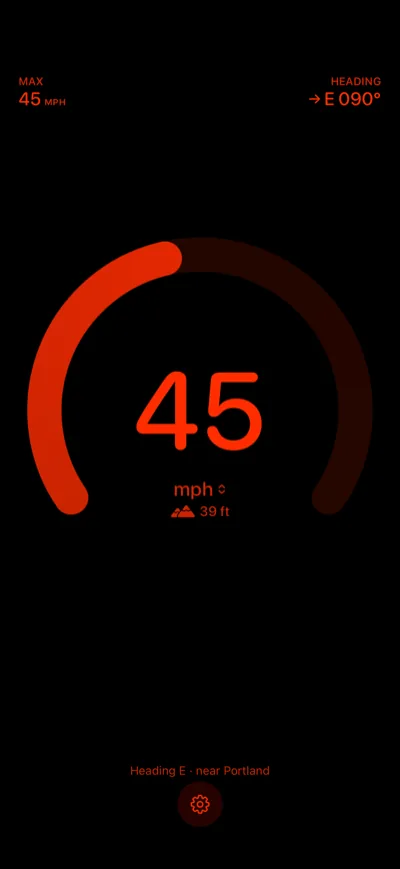
With Speedometer One Pro, Night Mode turns the display red on black, to protect your night vision.
Turn on Night Mode
- Tap the Settings button.
- Turn on Night Mode.
The speed, gauge, labels and buttons turn red on black, and so does Settings. The map background and the status bar are hidden while Night Mode is on.
Note: Night Mode stays off until you turn it on, including when you first get Pro. Turn it off the same way.