Use the map background
With Speedometer One Pro, a map sits behind your speed and turns with your direction of travel. It works without a cellular or Wi-Fi connection.
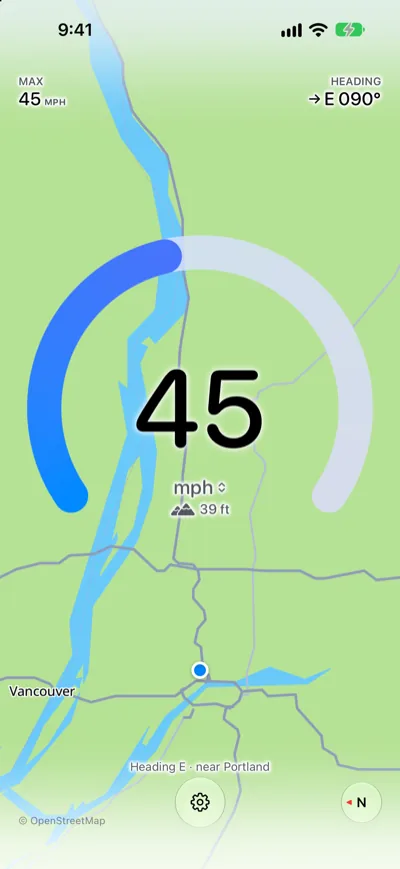
Read the map
- Your position: The blue dot shows where you are.
- Direction: The map is heading-up: the way you’re going points to the top of the screen. The N at the bottom right shows where north is.
- Heading line: Above the Settings button, a line such as Heading E · near Portland shows your direction. The place name appears when you’re online; offline, you see just the direction. In landscape, the line is hidden to make room for the dot; HEADING at the top right still shows your direction.
Turn the map on or off
- Tap the Settings button.
- Turn Map Background on or off.
Note: The map data is built into the app, so the map itself makes no network requests. Map data © OpenStreetMap contributors, Protomaps; the full credit is in Settings, under About.
Note: The map shows where you are. It doesn’t give directions, and it isn’t shown in Night Mode.