Intro to Speedometer One
Speedometer One shows how fast you’re going, in big numbers on iPhone and Apple Watch, in mph, km/h or knots. Until it has a reliable GPS fix, it shows -- with a status such as Locating…, never a made-up 0.
How it works
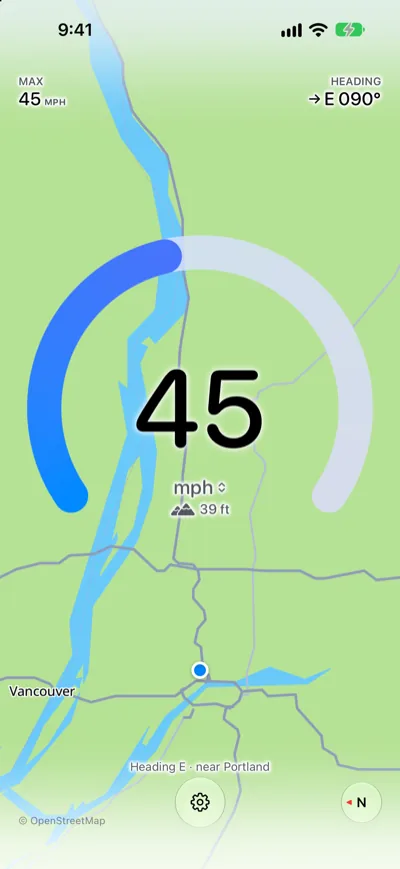
Speedometer One uses your iPhone’s location to work out your speed. The number sits in the middle of the gauge, and the arc fills as you go faster. Below it are the unit and, when needed, a status line such as Locating….
Highlights
Do any of the following:
- Switch units with a tap: Tap the number to go from mph to km/h to knots. See Read your speed.
- See where you are, even offline: With Speedometer One Pro, a map turns with you behind your speed. See Use the map background.
- Keep your speed on the Lock Screen: With Pro, your speed and max stay on the Lock Screen and in the Dynamic Island. See Show your speed on the Lock Screen.
- Check your speed on your wrist: The Apple Watch app is included, with no purchase needed. See Use Speedometer One on Apple Watch.
Note: Speedometer One has no account or sign-in. Your settings and max speed stay on your iPhone.