See max speed, elevation and heading
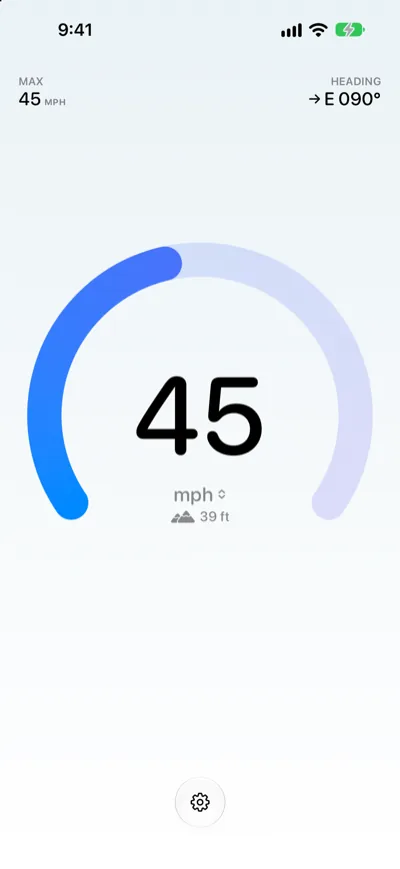
With Speedometer One Pro, your top speed appears at the top left, your heading at the top right, and your elevation below the unit.
Max speed
MAX shows the highest speed Speedometer One has measured, for example MAX 45 mph. Only accurate GPS readings count, and MAX flashes once when you set a new peak. Your max speed is kept until you reset it.
- To start over, tap the Settings button.
- Tap Reset Max Speed, then confirm.
Elevation
Your elevation appears below the unit, for example 39 ft. Tap it to switch between feet and meters. It shows only while GPS readings are accurate.
Heading
HEADING shows the direction you’re going: an arrow (Compass) and a compass point with degrees, such as E 090° (Bearing). While you’re moving, the direction comes from GPS; otherwise, from your iPhone’s compass.
Note: You can turn Max Speed, Elevation, Compass and Bearing on or off separately in Settings.