Change settings
Choose your units, choose what appears on screen, and manage the Lock Screen and your max speed.
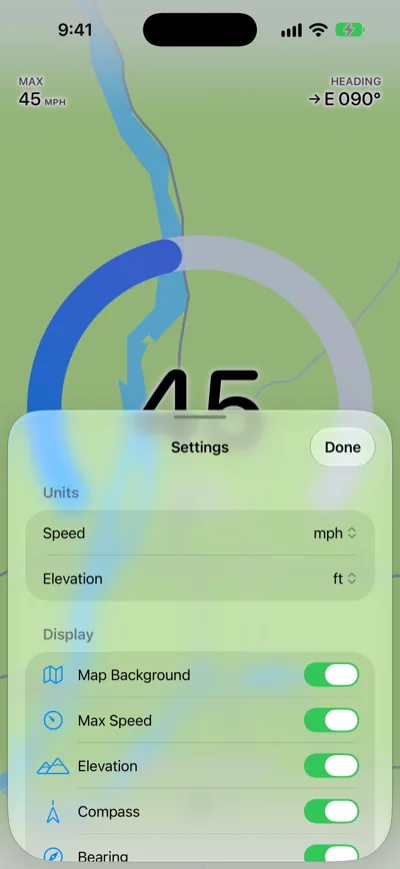
Open Settings
- Tap the Settings button at the bottom of the screen.
- Make your changes, then tap Done.
What you can change
- Units: Choose Speed (mph, km/h or kn) and, with Speedometer One Pro, Elevation (m or ft).
- Display: With Pro, turn Map Background, Max Speed, Elevation, Compass, Bearing, Night Mode and Haptics on or off.
- Lock Screen: With Pro, use Start on Lock Screen and Start Automatically. See Show your speed on the Lock Screen.
- Reset Max Speed: With Pro, start your max speed over.
- About: See the app version and the map data credits.
Note: Without Pro, the Pro settings show a lock. Tap one to see what Speedometer One Pro includes.