If your speed shows -- or looks wrong
Speedometer One shows -- instead of a speed whenever GPS can’t give a reliable reading. Here’s what to try.
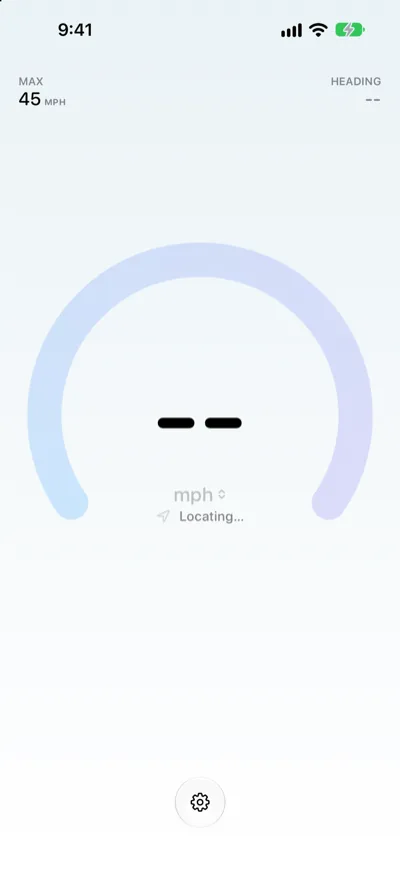
If the speed shows -- with Locating…
- Go outside, or move closer to a window, away from tall buildings.
- Wait for a fix. The speed appears as soon as GPS readings are reliable.
If you’re indoors
Indoors, your iPhone often can’t get precise GPS. When your position is precise enough, a phone sitting still reads 0. When it isn’t, Speedometer One shows -- and Low GPS accuracy instead of guessing.
Other things to check
- Low GPS accuracy: The speed may be less exact, and your max speed doesn’t change until readings are accurate again.
- GPS signal lost: Your last speed stays dimmed for a short time, then changes to --. It comes back when the signal does.
- Location Access Off: Tap Open Settings and allow location access for Speedometer One.
- No map: The map needs Speedometer One Pro and Map Background turned on in Settings, and it isn’t shown in Night Mode.
- Pro features are locked: If you bought Pro before, tap Unlock Pro, then Restore Purchases.